Pérdida de Grasa Avanzada
Perdida de Grasa Avanzada is a nutrition SaaS platform that offers a free calorie calculator, a video course on fat loss, and an advanced tool for creating personalized diets with macronutrient tracking, PDF generation, and shopping list features.
 Figma
Figma Next.js
 Supabase
 Stripe
 PayloadCMS
Landing page
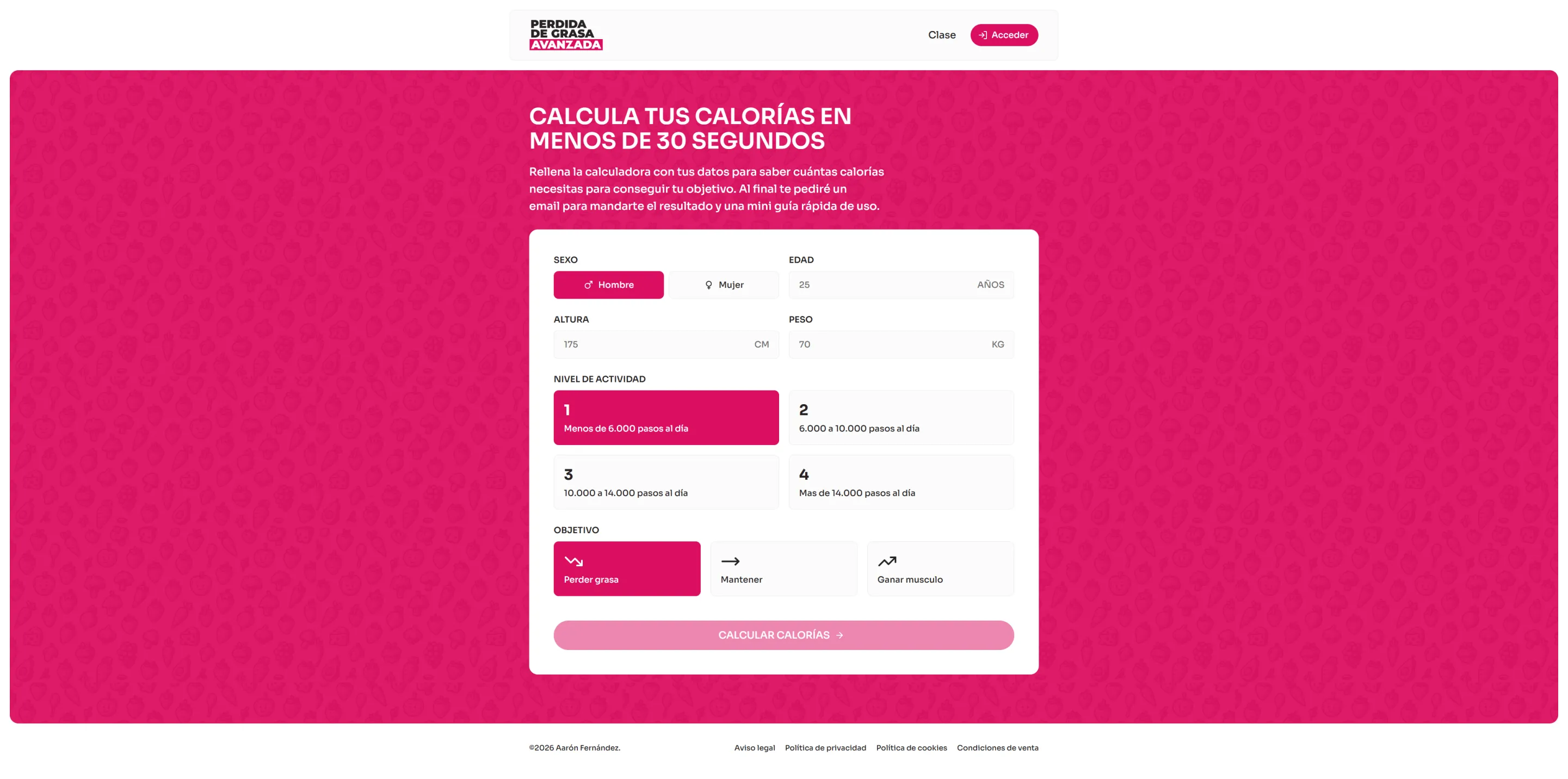
The platform's main page featuring an integrated free calorie calculator. Users input their sex, age, height, weight, activity level, and goal (fat loss, maintain, or muscle gain) to get their basal metabolic rate, target calories, and recommended macronutrients.
Video course page
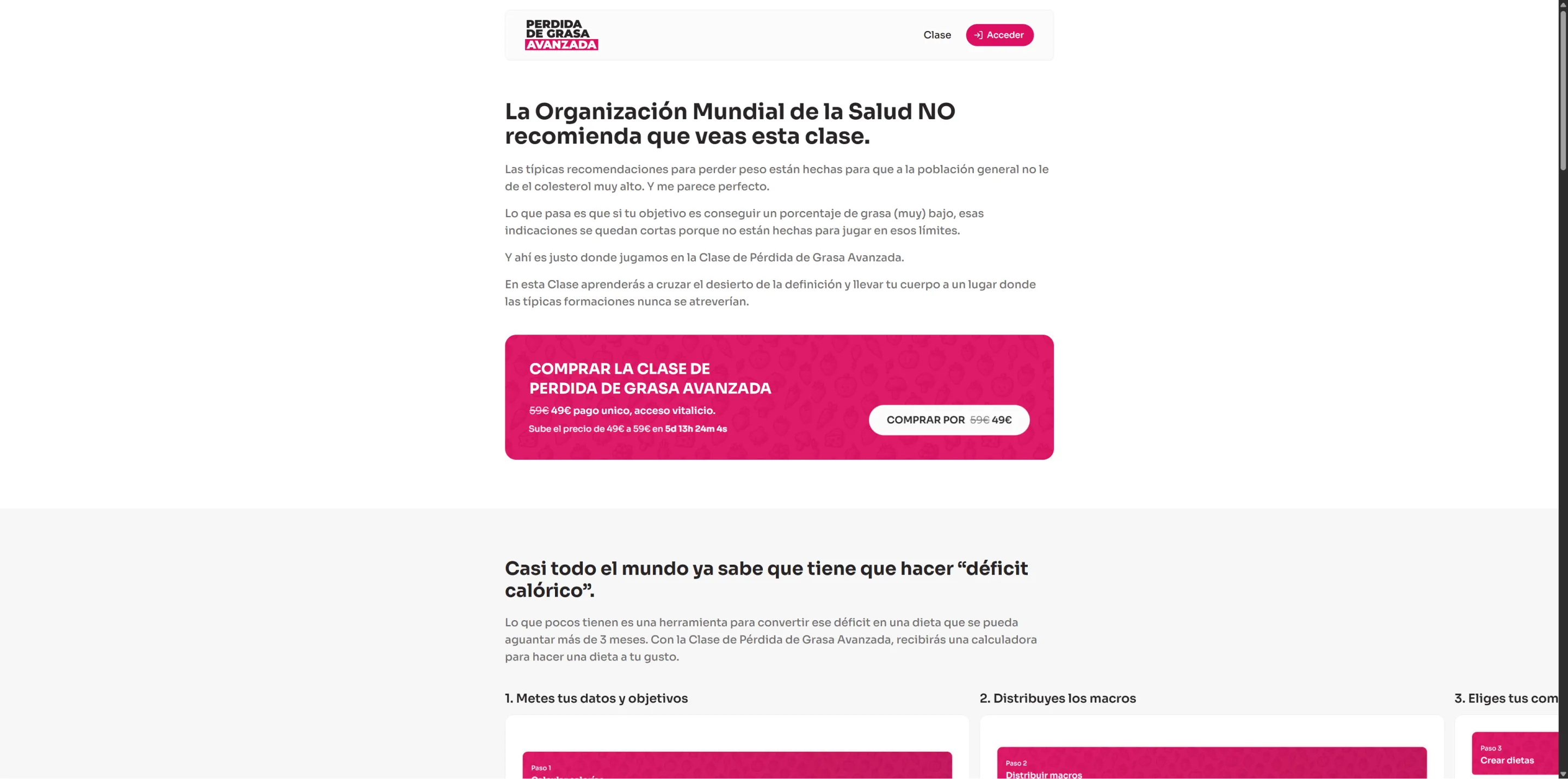
Sales page for the video course with multiple sections: an explanatory hero, a step-by-step process carousel, course content listing, testimonial grid with real screenshots, FAQ section, and a dynamic pricing banner with countdown timer. Purchase buttons are strategically placed throughout.
Calculators list page
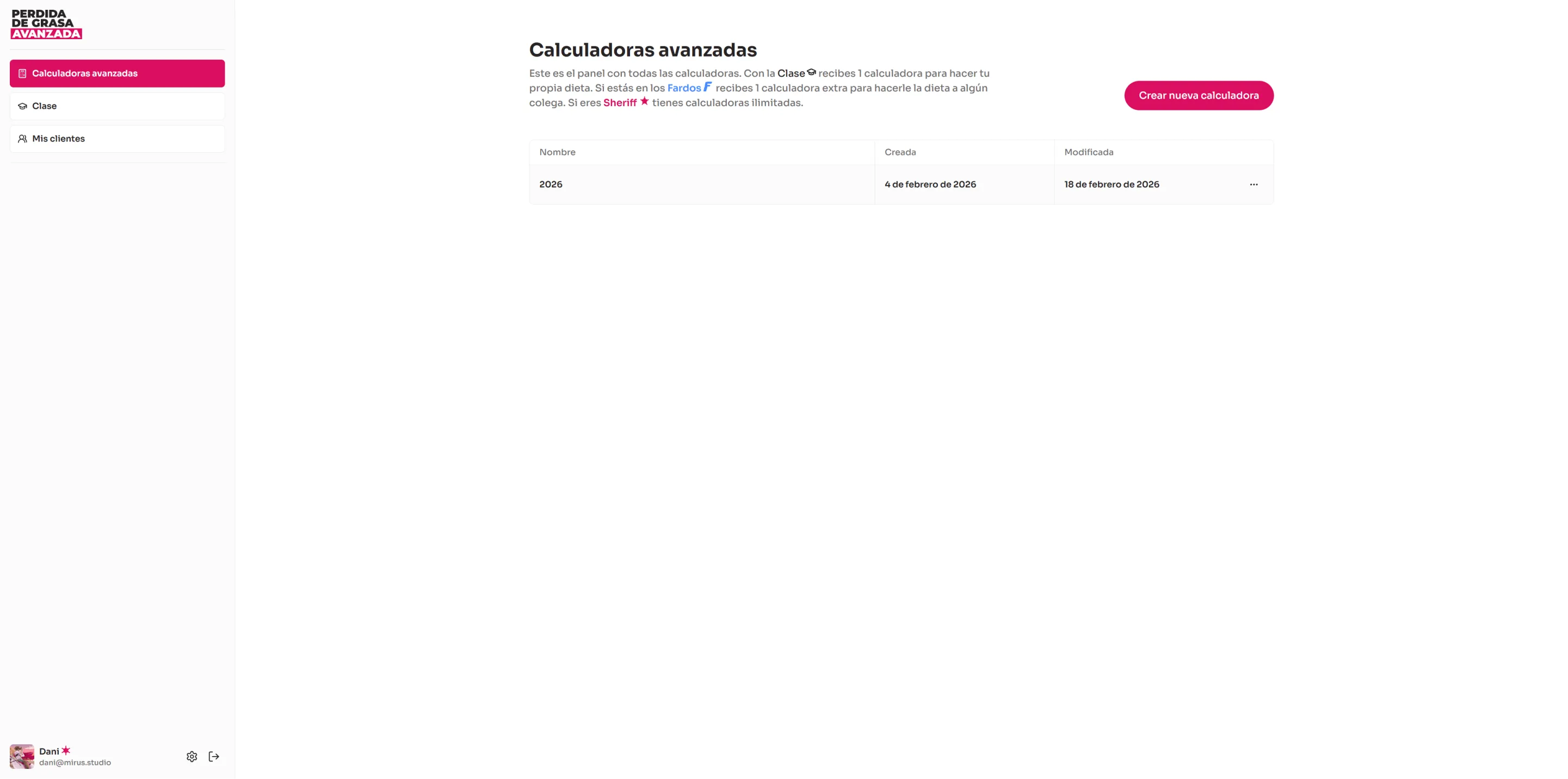
Dashboard displaying all user calculators in a table with name, creation date, and last update. Shows the calculator limit based on the user's plan and displays a promotional banner for basic plan users encouraging them to upgrade to the Sheriff plan.
Calculator header and calories section
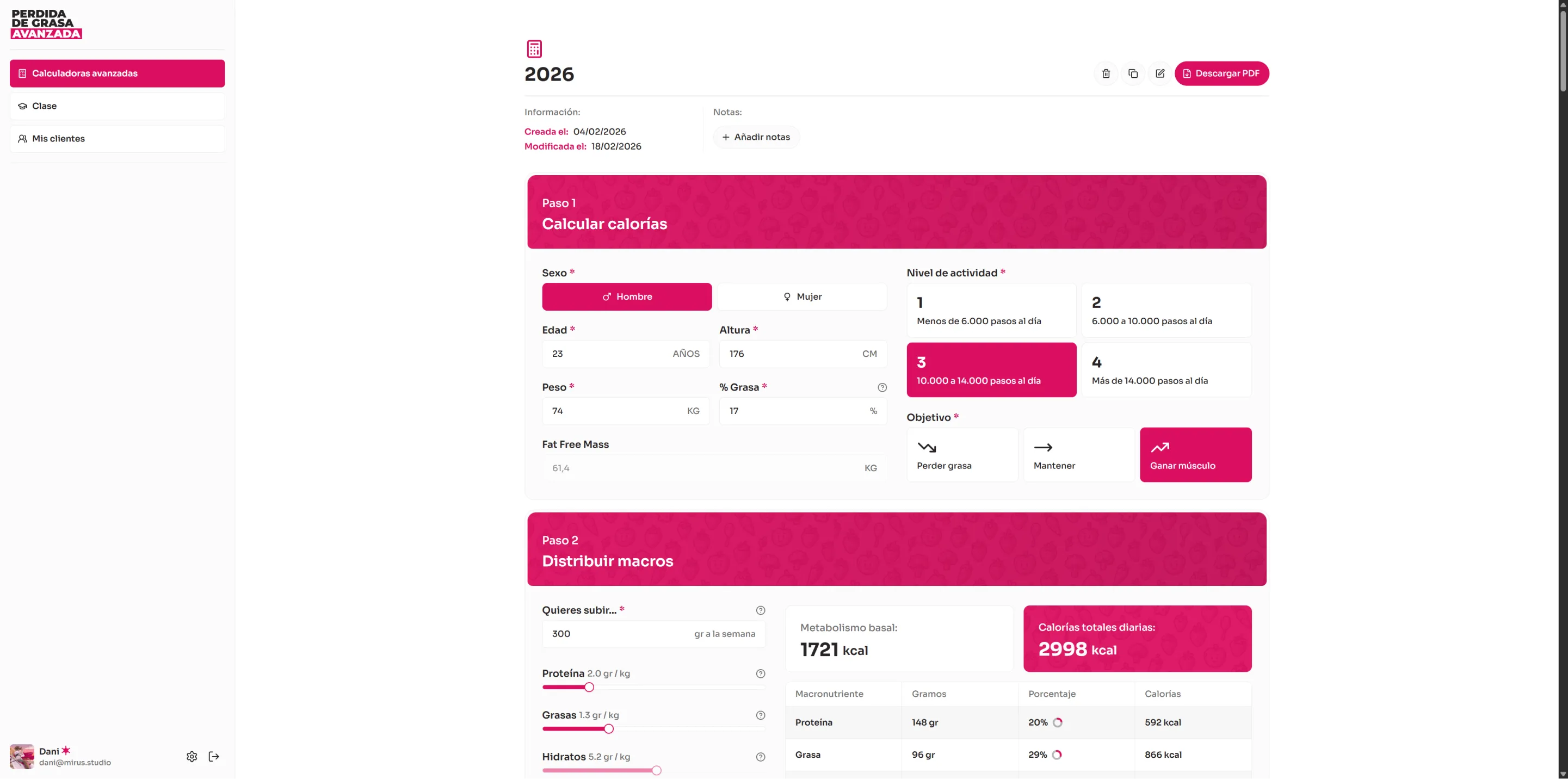
Header displaying the calculator name, creation and last modification dates, an editable notes section, and action buttons (rename, duplicate, delete, download PDF). Below, a physical data form where users input sex, age, height, weight, body fat percentage, activity level (4 tiers based on daily steps), and goal (fat loss, maintain, or muscle gain). Calculates and displays fat-free mass.
Calculator macros section
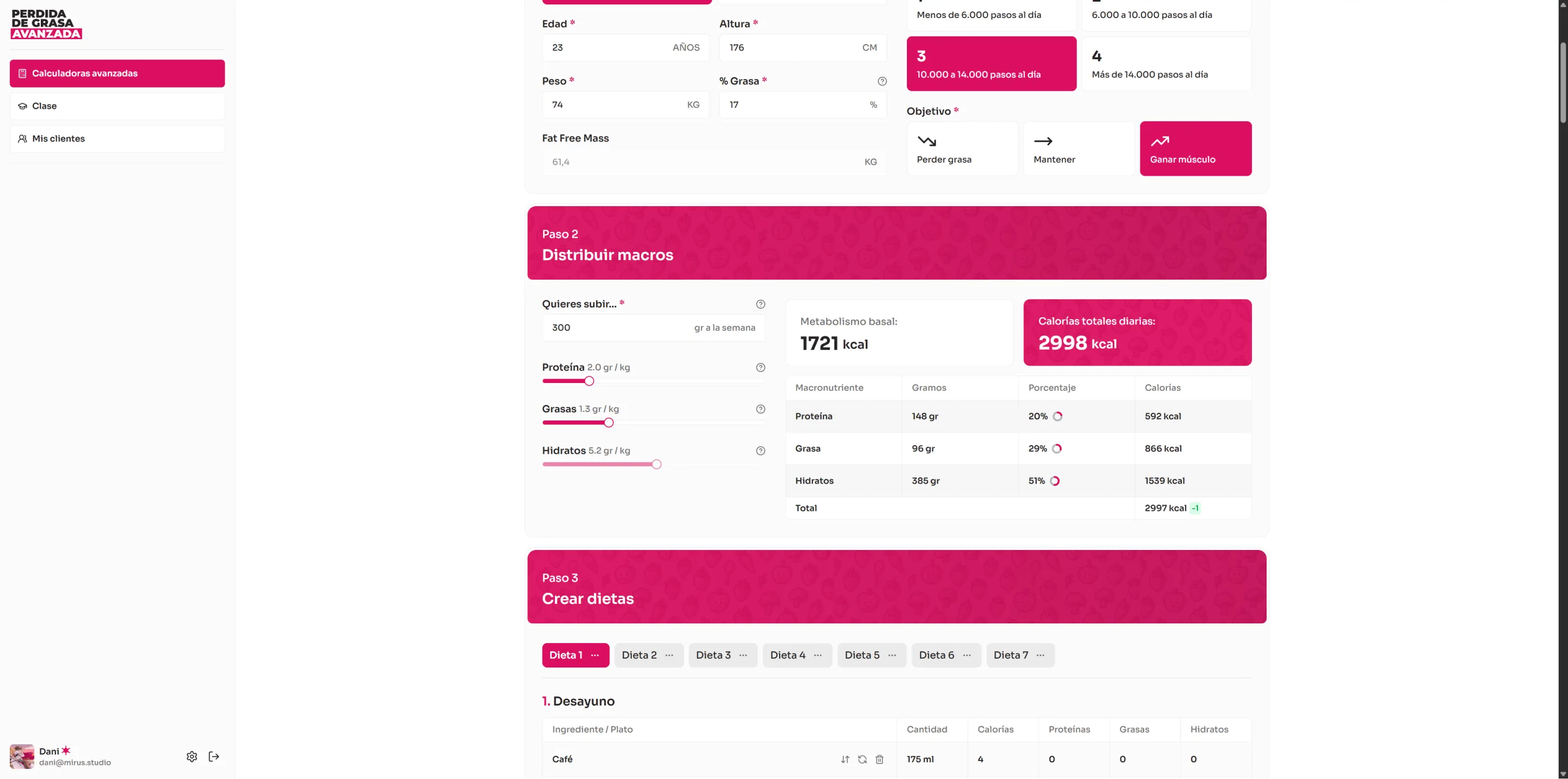
Macronutrient distribution setup with target calories, sliders to adjust protein, fat, and carbs per kilogram of body weight, comparison cards (BMR vs. target calories), and a summary table of target vs. actual macros.
Calculator diets section
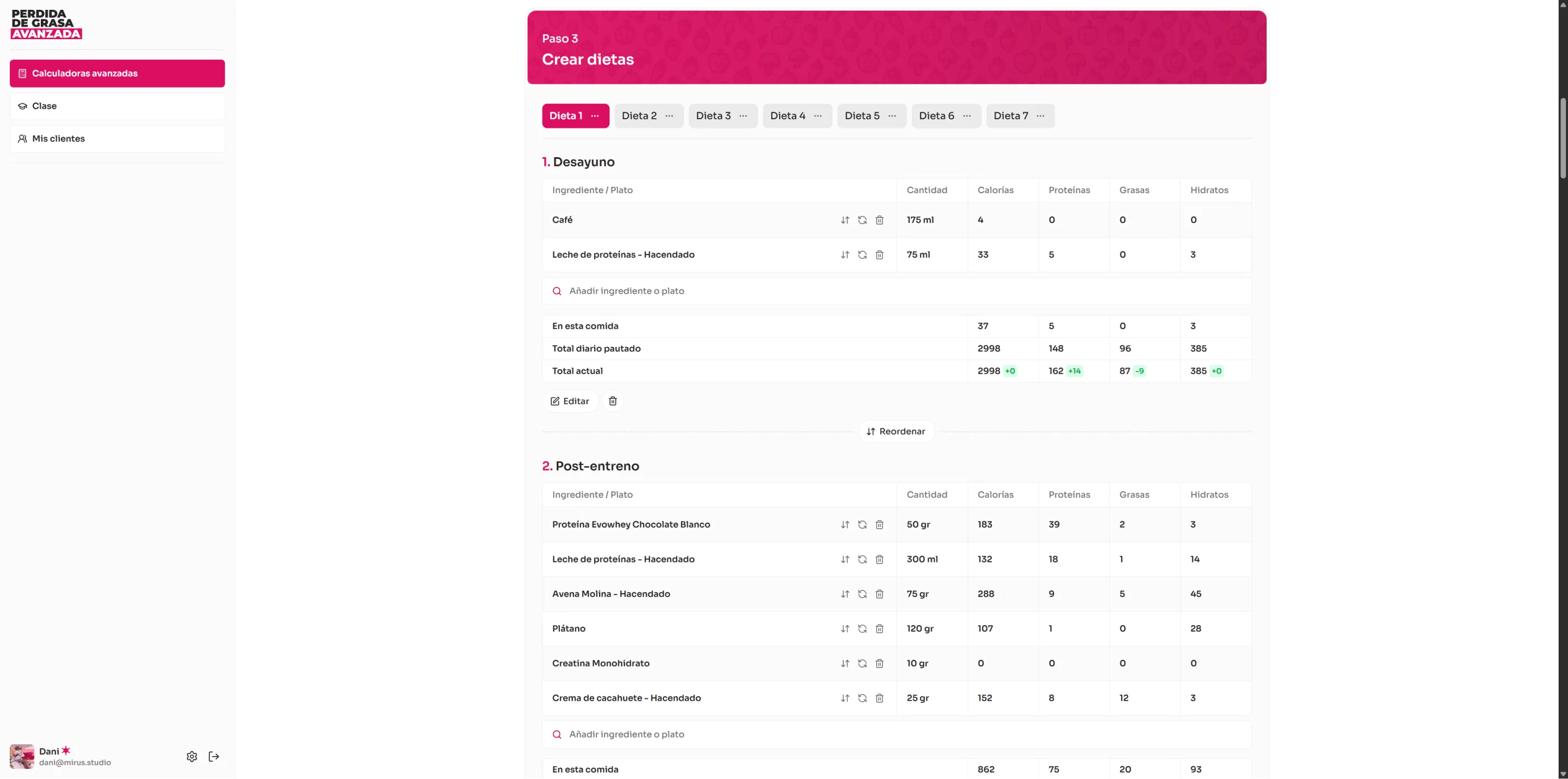
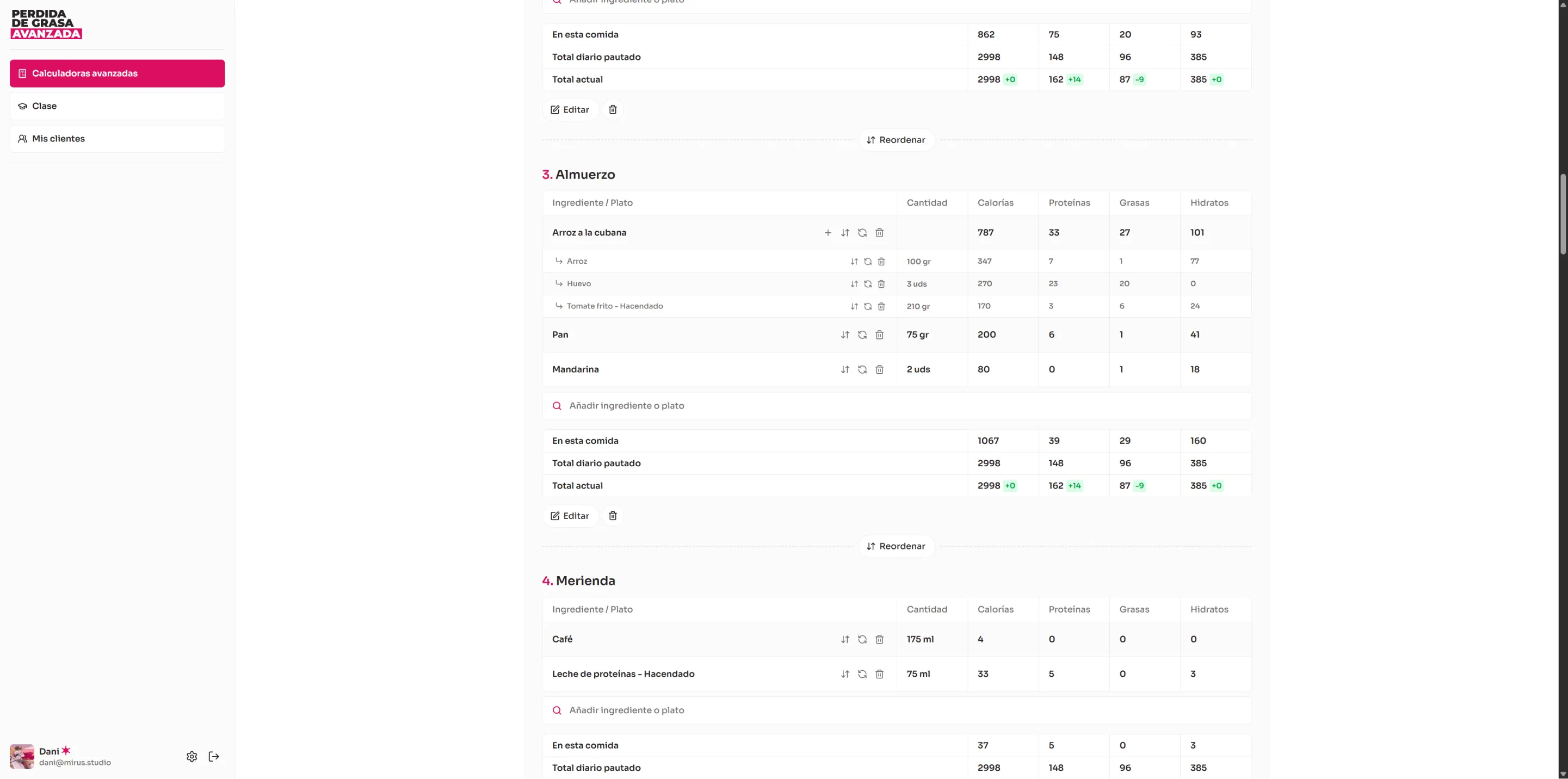
Diet creation and management interface with tabs to switch between diets (plan-based limit). Each diet contains meals, and each meal displays a table of ingredients/dishes with quantity, calories, protein, fat, and carbs. Supports adding, editing, deleting, duplicating, and reordering diets, meals, and ingredients.
Calculator weekly planning section
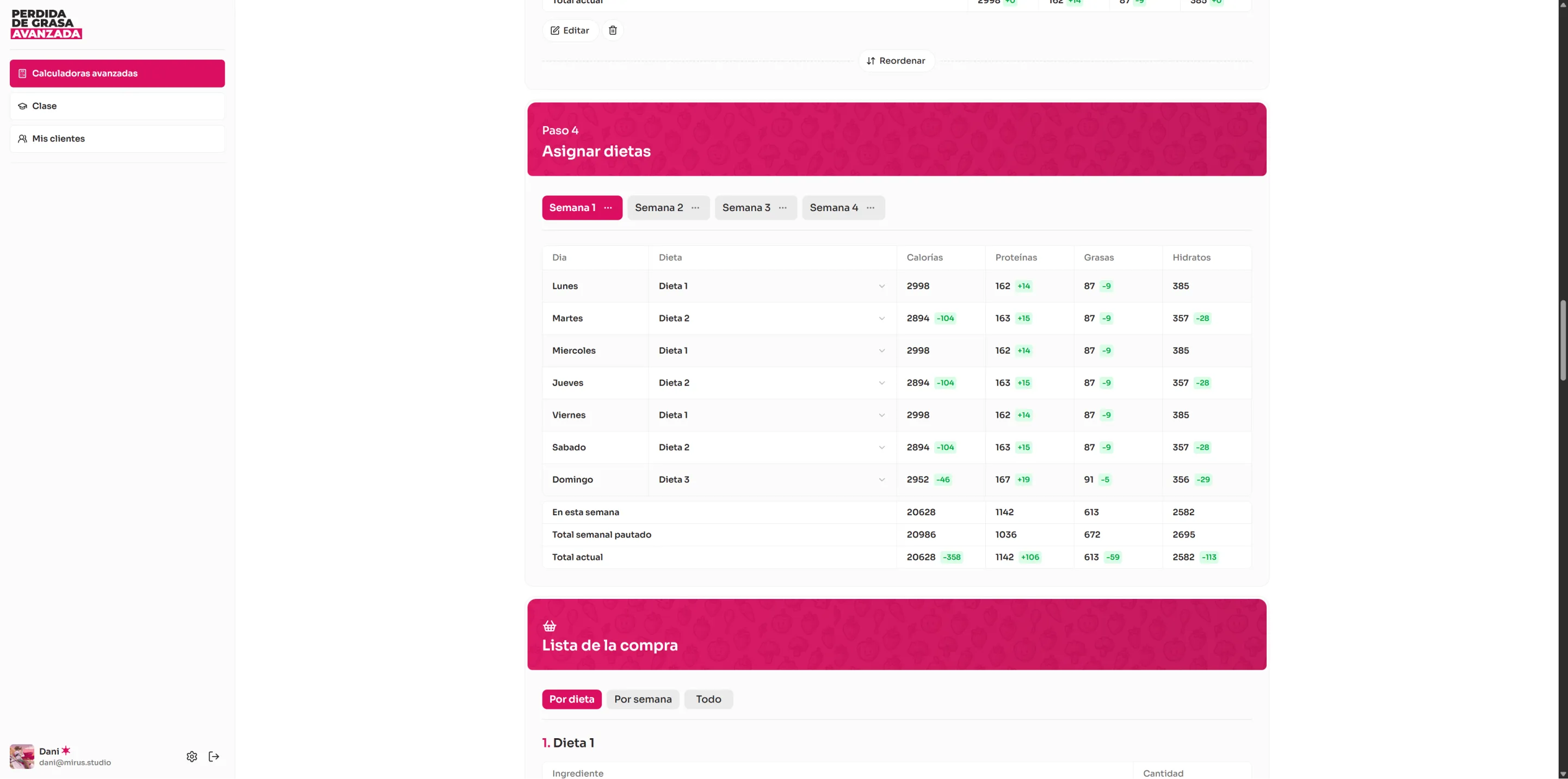
Weekly planning with tabs for multiple weeks. Table with 7 rows (one per day), each featuring a dropdown to assign a diet, calculated macronutrient columns per day, and a weekly totals row compared against the target.
Video course page
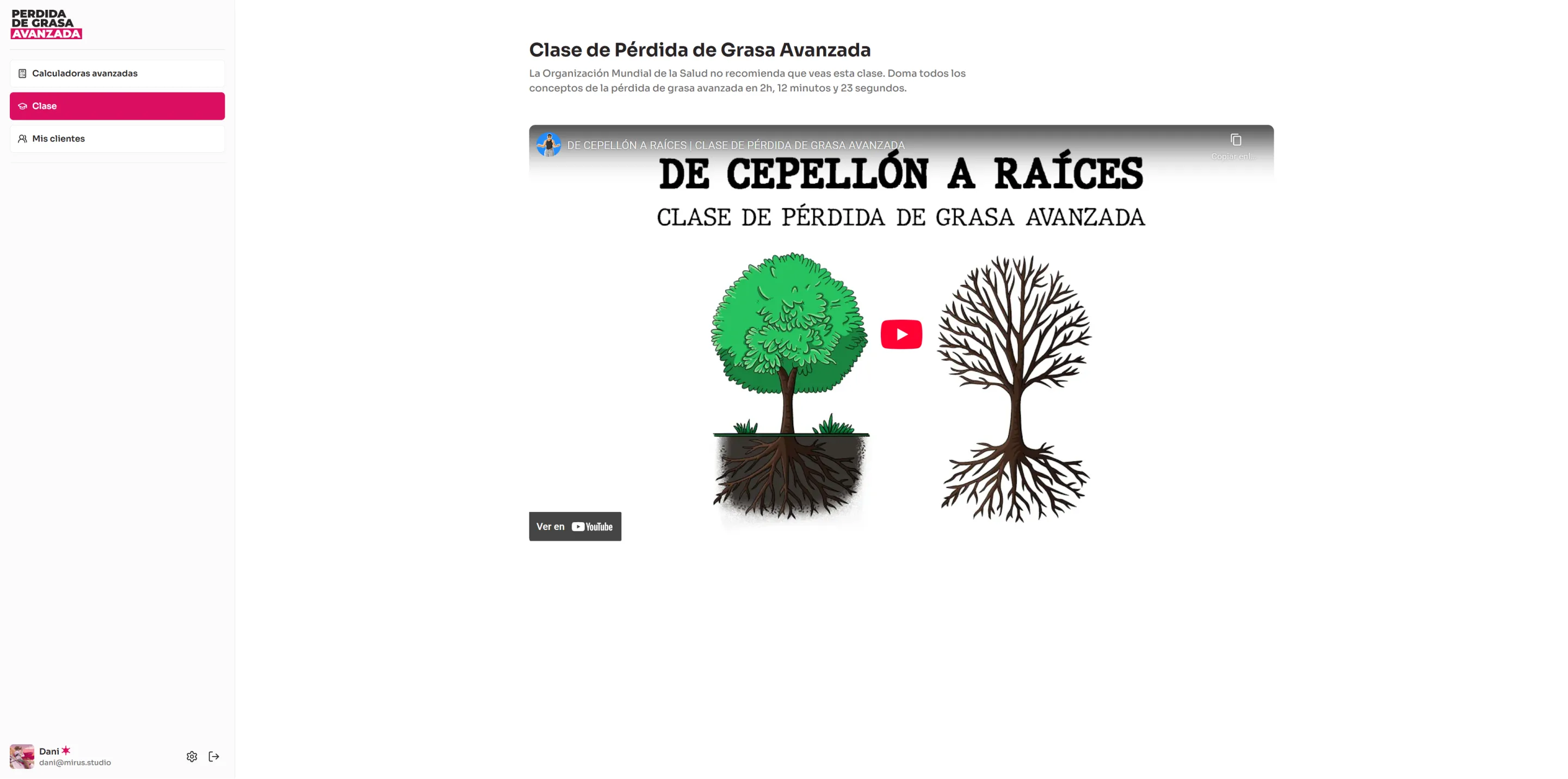
Embedded player for the Advanced Fat Loss video course, over 2 hours in length. The video URL is configurable from the admin panel. Basic plan users see a promotional banner encouraging them to access the full course content.
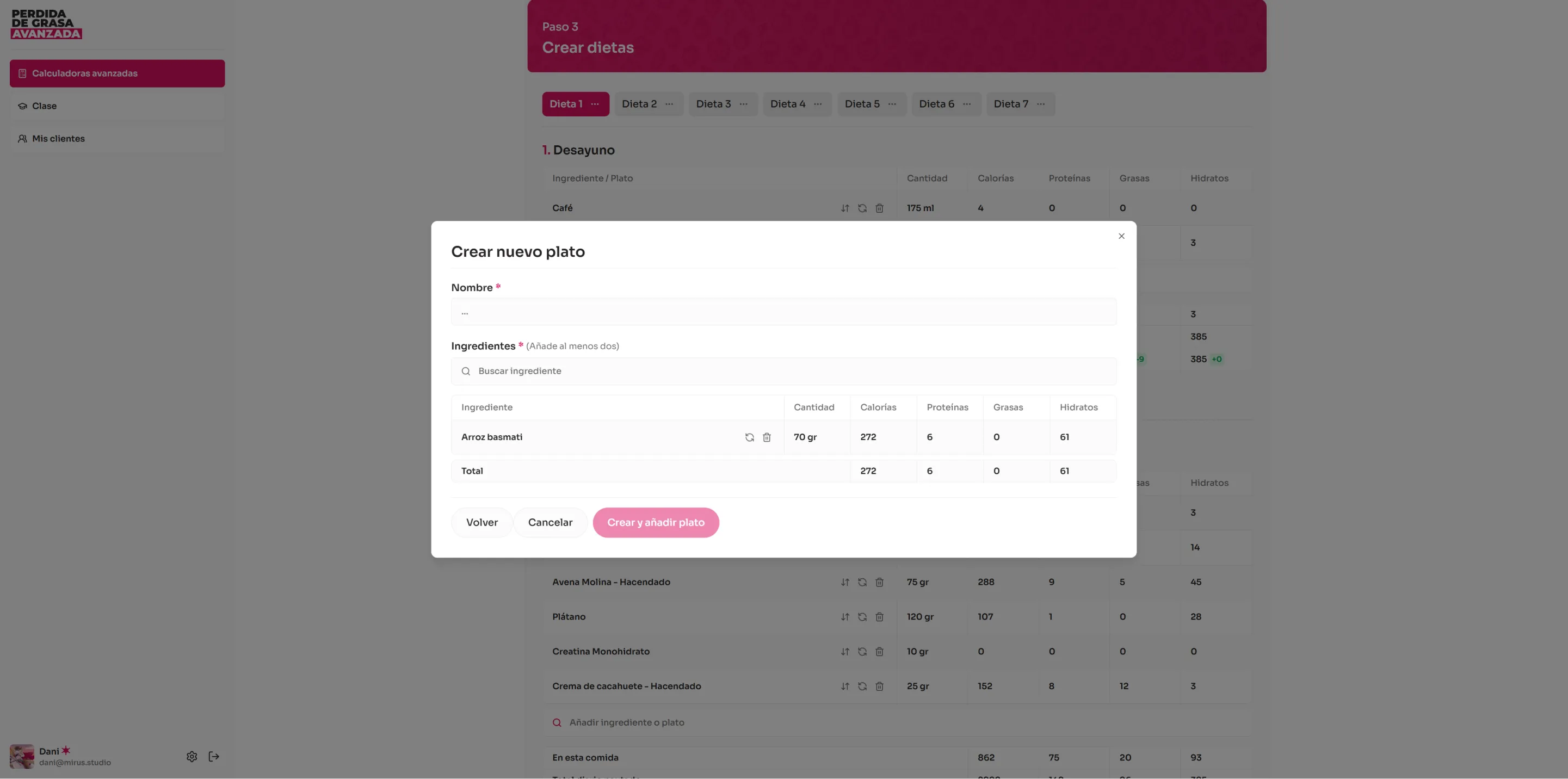
User settings modal
Responsive modal with four tabs in a two-column layout on desktop and a nested drawer on mobile. 'My Info': edit name and upload avatar. 'Email': change email with current password verification. 'Password': update password with validation requirements. 'Danger Zone': delete account with double security confirmation.
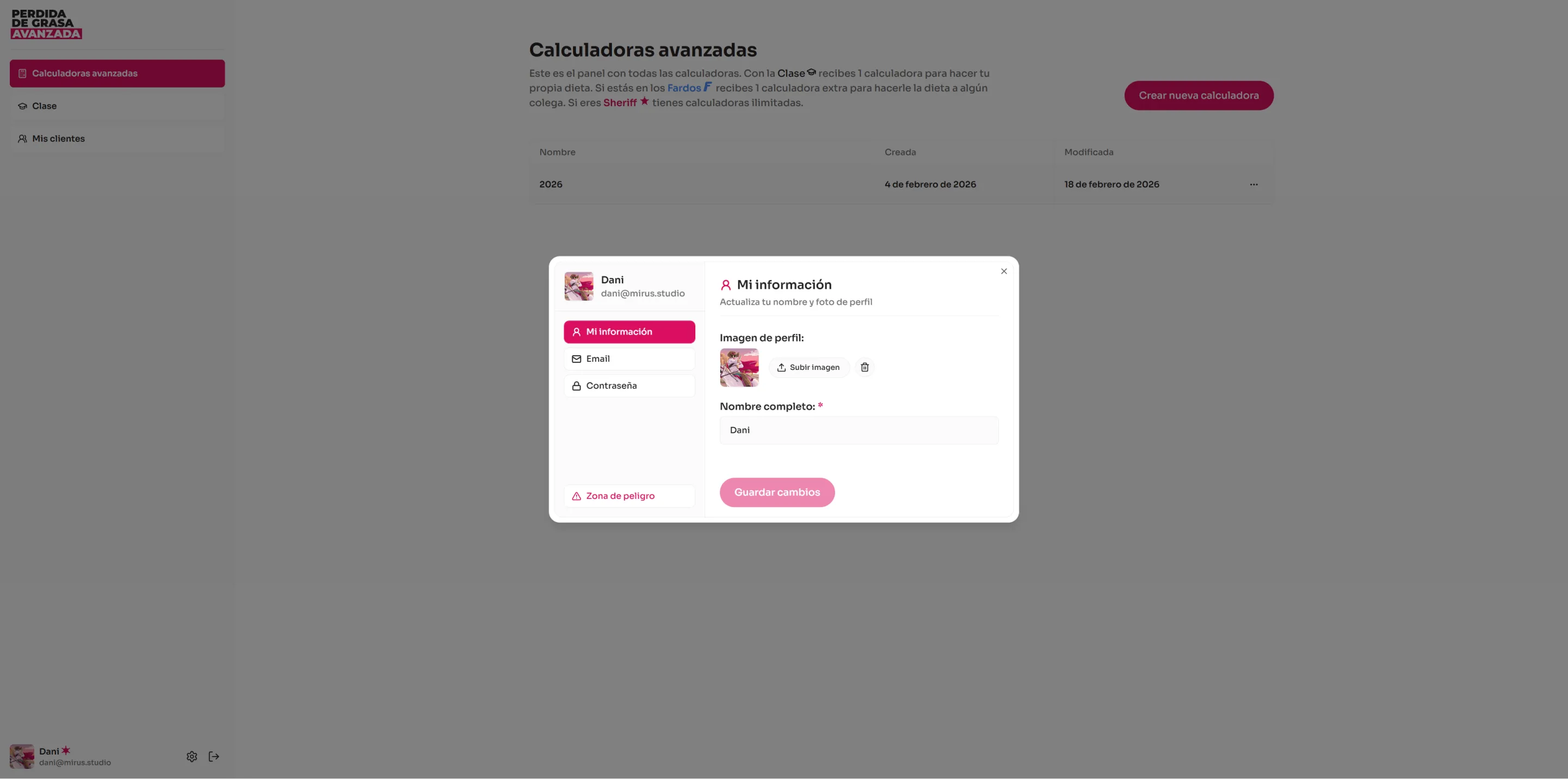
Dish or ingredient search modal
Search modal with infinite scroll for adding ingredients or dishes to a meal. Features a debounced search field, automatic scroll-based pagination, private item badges for user-created elements, and success notifications when adding an item.
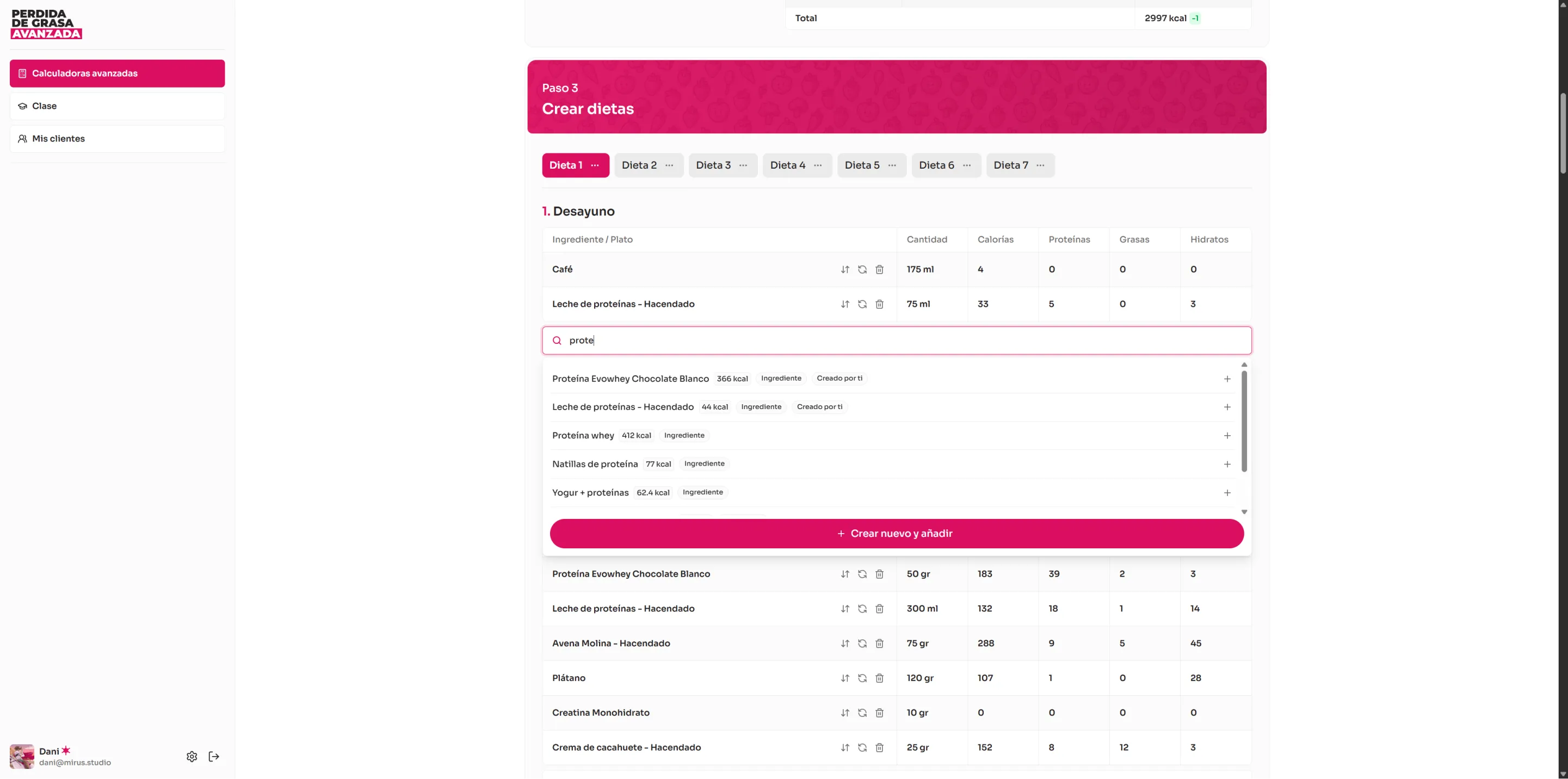
Custom ingredient create modal
Modal with a complete form for creating custom ingredients. The user enters the name, default unit (grams, milliliters, or units), default quantity, and the main nutritional values per 100g/ml: calories, protein, fat, and carbohydrates. Allows uploading a product photo and nutritional label image.
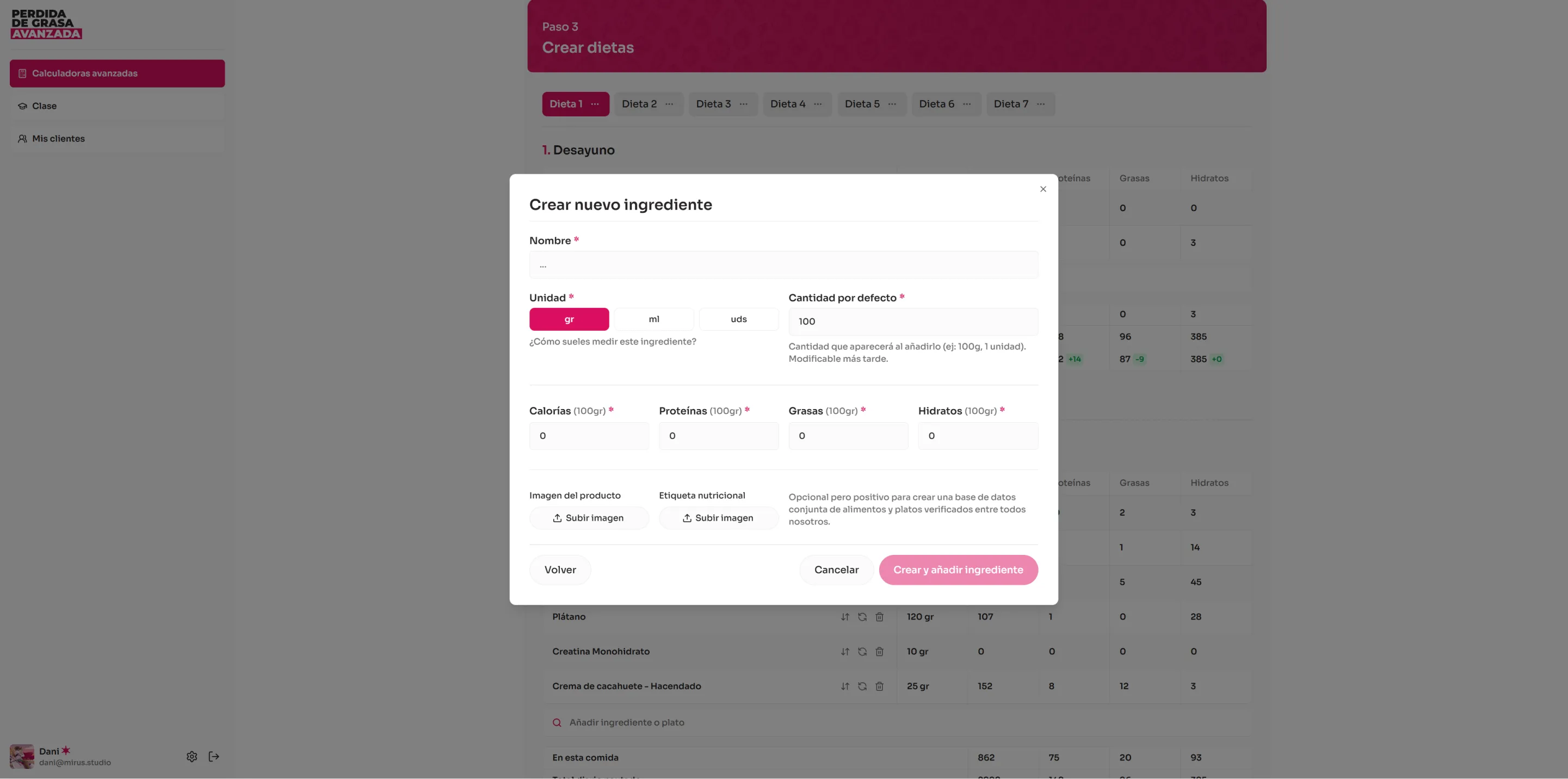
Custom dish create modal
Modal for creating custom dishes composed of multiple ingredients. The user enters the dish name and searches existing ingredients to add with their quantity. Displays a table of dish ingredients with quantities and calculated macronutrients, including a totals row. Supports replacing or removing ingredients and creating new ingredients directly from the modal.
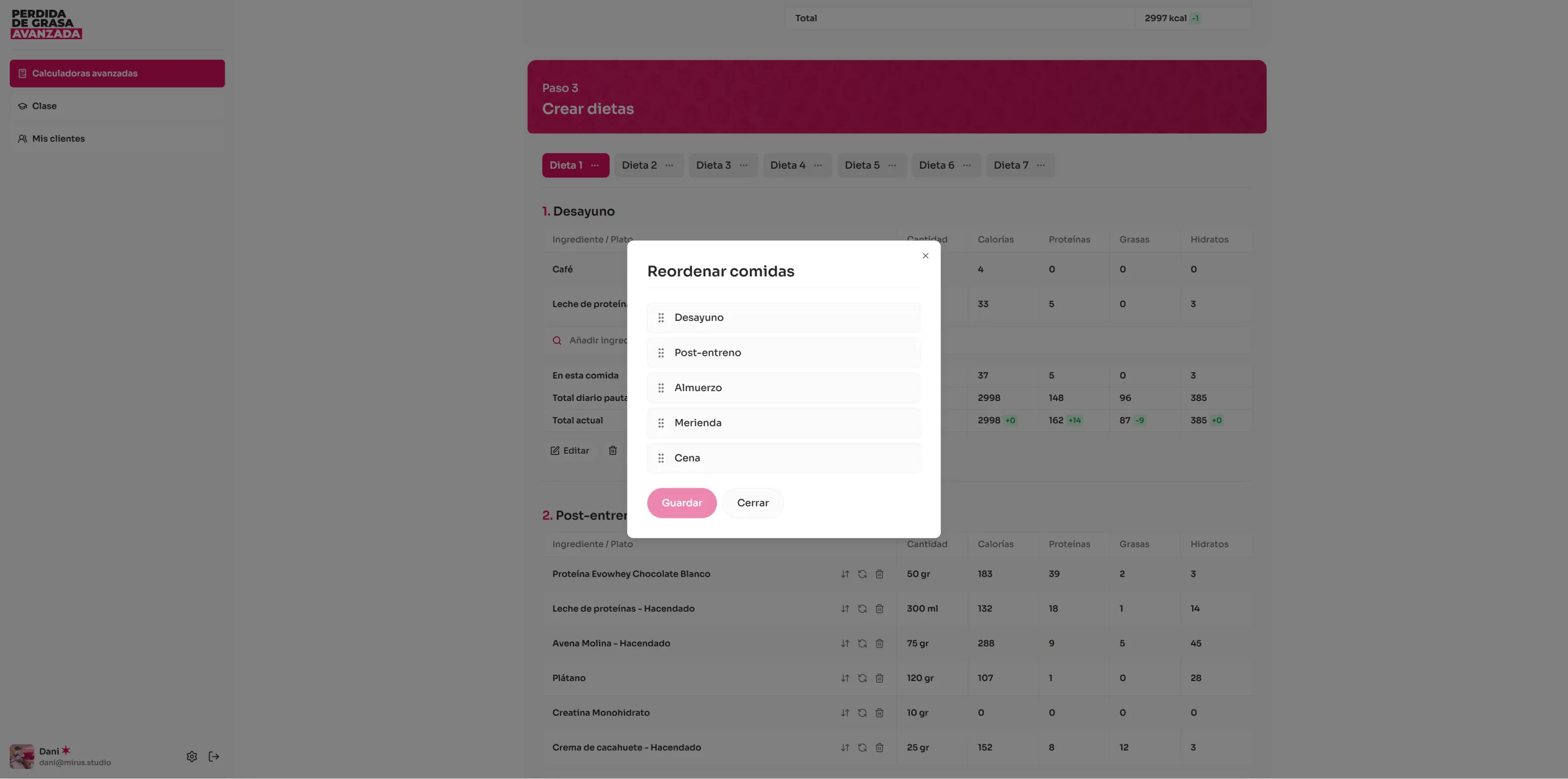
Reorder modal
Modal with drag and drop functionality for reordering meals within a diet, ingredients within a meal, or custom ingredients within a dish. Uses the dnd-kit library to provide a smooth and intuitive reordering experience.
Calculator PDF generation
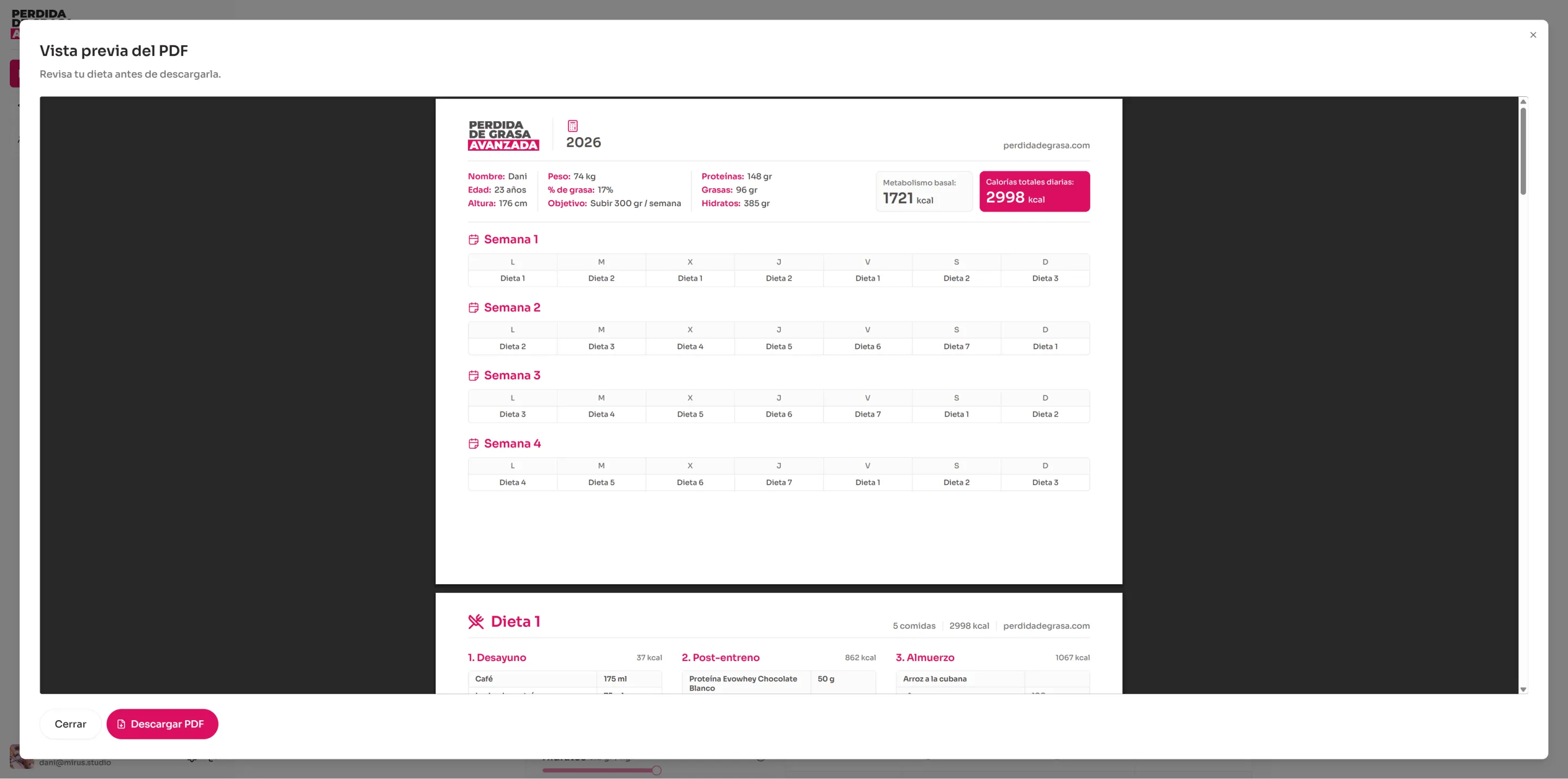
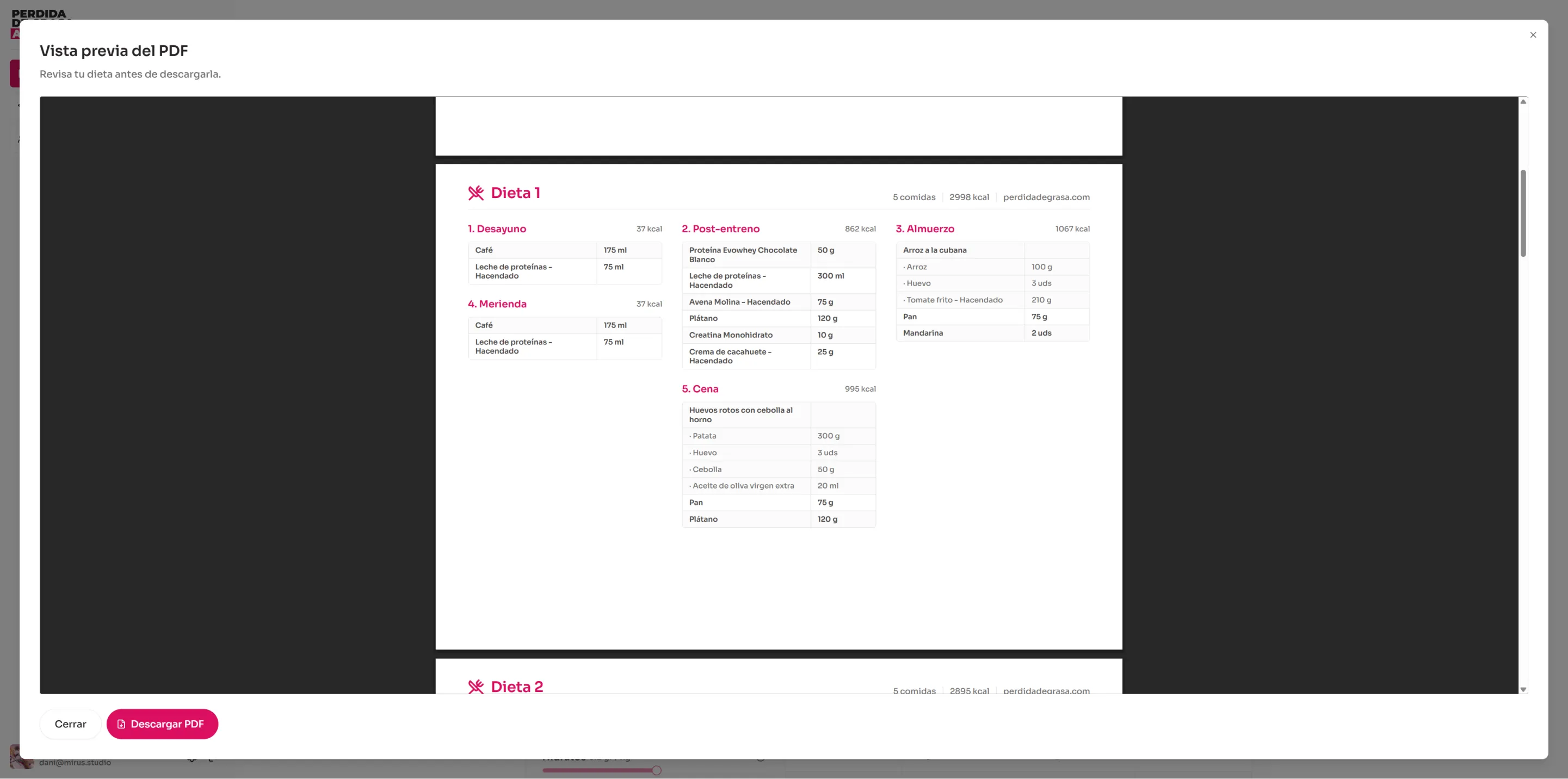
PDF export system for the complete diet plan using @react-pdf/renderer. Generates a document with a custom cover page and one page per diet, including meals with ingredients, quantities, and macronutrients in table format, plus the weekly schedule. Includes a preview modal before downloading.
Shopping list
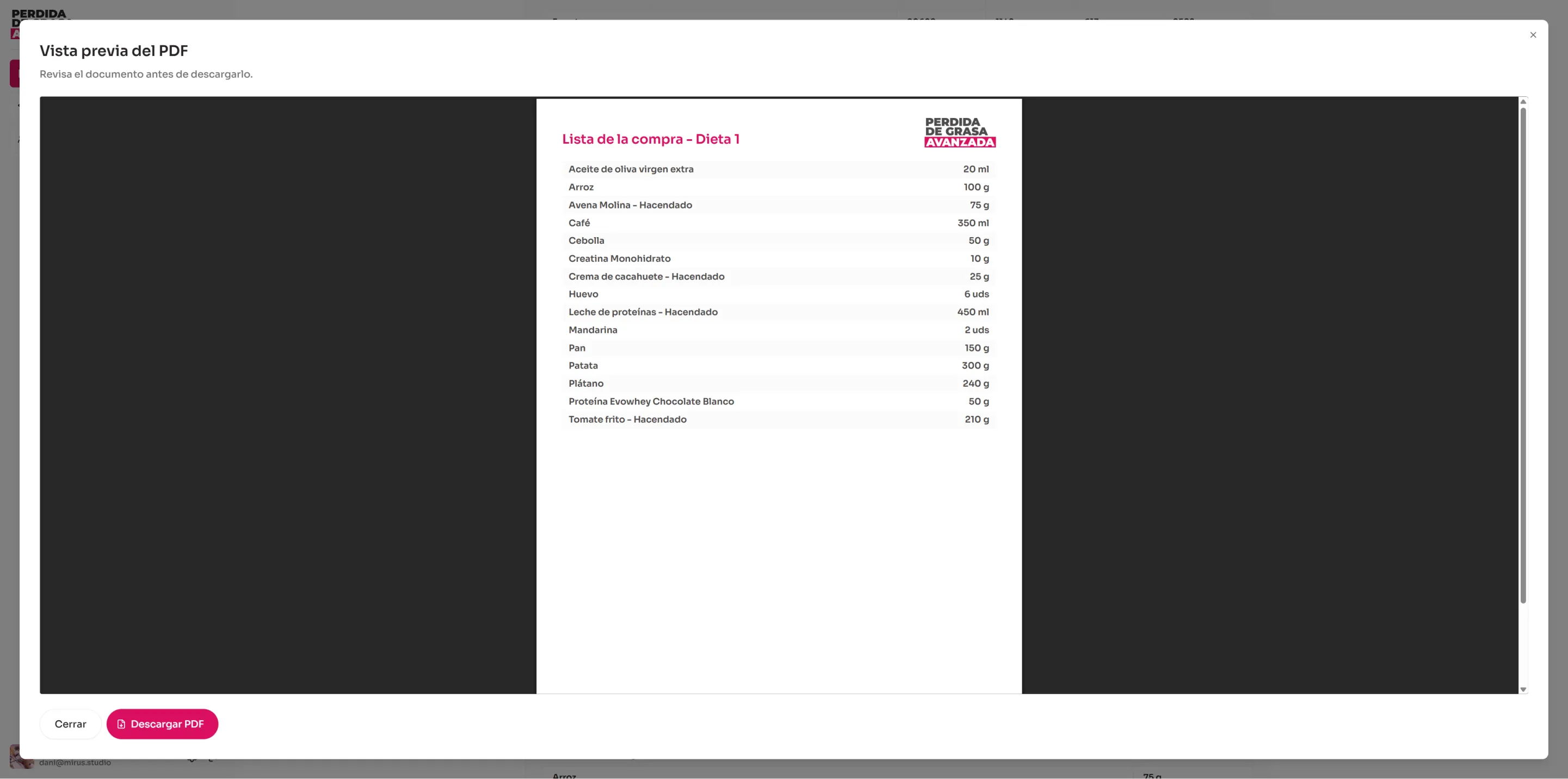
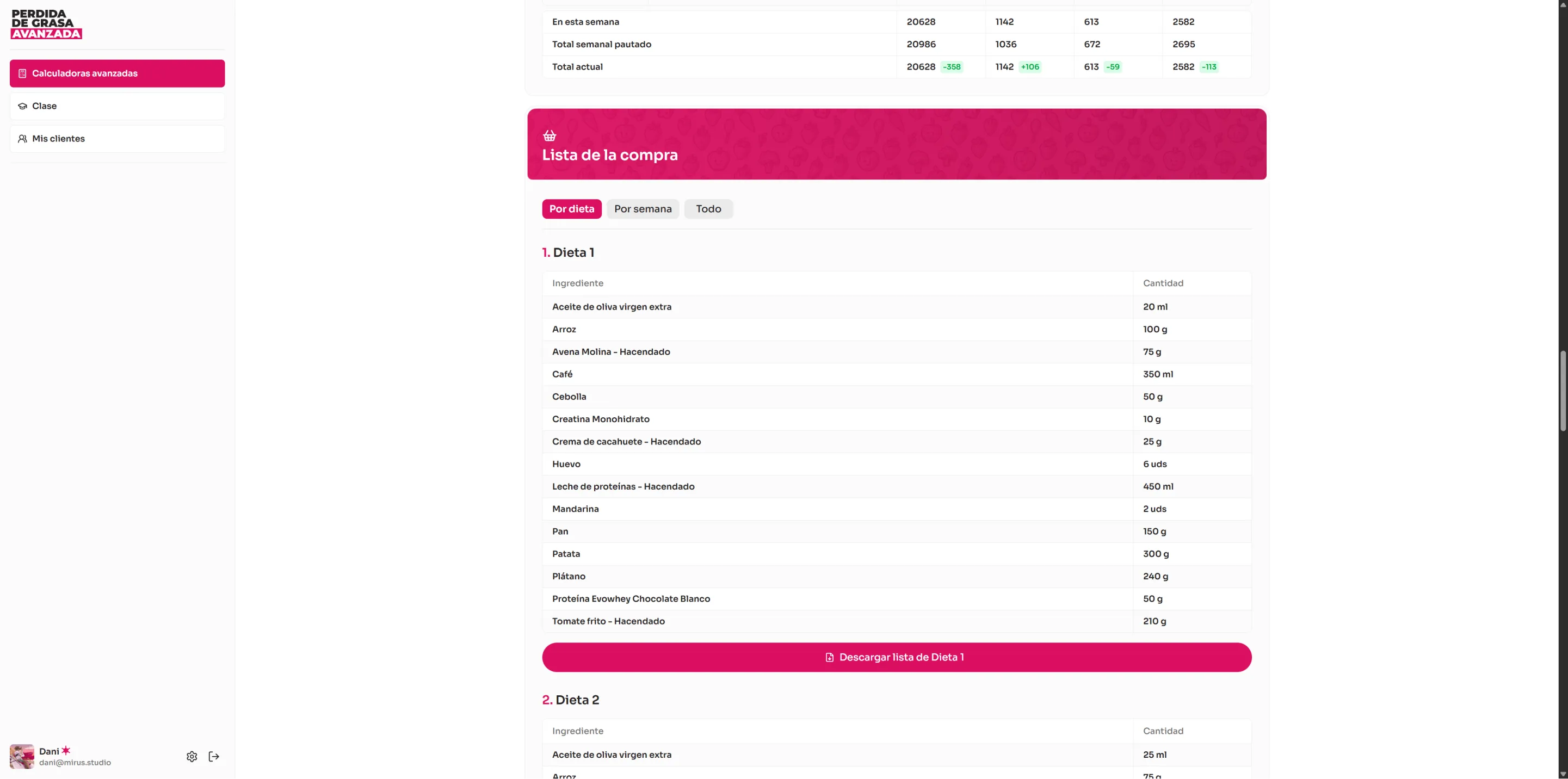
Section integrated into the calculator page that automatically generates a shopping list from diet ingredients. Offers three views: by individual diet, by complete week, or all ingredients combined. Each view allows downloading the list as a standalone PDF.
Shopping list PDF generation